
Remote switching
View and control each circuit from a phone or computer without traveling to the site for a simple switch.
StandardSmart Remote Control Cabinet · Y951 Series
Remote switching, cloud schedules and sensor-triggered automation for 2–16 circuits. Choose 4G, Wi-Fi or RJ45, while keeping manual control at the cabinet.
Standard schedules and cloud linkage run through the cloud. The device needs to stay online for new remote commands.
Product functions
Bring frequently switched or scheduled equipment into one cabinet. Operators can control circuits remotely, set schedules in the platform or use the cabinet controls on site.
View and control each circuit from a phone or computer without traveling to the site for a simple switch.
StandardSet start and stop times in the platform. The cloud sends the command while the device is online.
PlatformReview device connectivity, circuit states and operation records in one place.
StandardUse schedules to reduce forgotten or unnecessary operating periods. No fixed energy-saving percentage is promised.
Use resultSuitable equipment
Each device usually occupies one or more circuits. Confirm quantity, voltage, rated power, starting method and whether reversing control is required.

Irrigation, circulation and drainage.
Confirm: Power, voltage, starting method and cycle frequency.

Ventilation, environmental control and exhaust.
Confirm: Power, quantity and control zones.

Oxygenation for aquaculture systems.
Confirm: Power, operating windows and linkage requirements.

Greenhouse lighting, site and facility lighting.
Confirm: Total power, zones and scheduling requirements.

Water valves, rolling film and curtains.
Confirm: Simple start/stop or reversing control.

Cooling, humidification and dust control.
Confirm: Pump/valve combinations and linkage conditions.
Outside the standard range: reversing motors, loads above the standard rating and variable-frequency applications need equipment nameplates and control requirements reviewed by an engineer.
Remote control demo
Select a circuit in the platform and send an on/off command. Y951 receives the command and controls the corresponding field circuit. The delivered interface and circuit configuration depend on the project.
Screen note: voltage, current and power fields in the demo do not mean that every standard model includes power monitoring.
Configuration options
The table identifies functions included with Y951, functions provided through the platform and requirements that need additional hardware or engineering.
Circuit indication: an “on” state confirms the control and switch state. Add current monitoring or run feedback when actual motor or pump operation must be verified.
Selection guide
List the independently controlled equipment, the available network and each load’s electrical and control requirements.
Count each device that needs an independent start/stop command or schedule as one control circuit.
Select the communication suffix according to the network already available at the installation point.
Circuit count and nominal power are not enough. Confirm how each load starts and is controlled.
Standard models
The model combines circuit count with a communication suffix. For example, Y951-4-G means a four-circuit 4G version. Confirm the selected combination before ordering.
| Model | Circuits | Communication | Typical use |
|---|---|---|---|
| Y951-2 | 2 | 4G / Wi-Fi / RJ45 | Small pump or lighting control |
| Y951-4 | 4 | 4G / Wi-Fi / RJ45 | Typical multi-device or zone control |
| Y951-6 | 6 | 4G / Wi-Fi / RJ45 | Medium pump, valve or fan systems |
| Y951-8 | 8 | 4G / Wi-Fi / RJ45 | Machine rooms, pump stations and panels |
| Y951-12 | 12 | 4G / Wi-Fi / RJ45 | Medium-to-large zoned control |
| Y951-16 | 16 | 4G / Wi-Fi / RJ45 | Centralized multi-circuit sites |
The standard single-circuit load is 2.2 kW. Confirm load type, starting method and operating voltage. The listed combinations do not imply that every circuit count is available with every network option.
YenGear IoT Cloud
Once connected, Y951 can provide device and circuit states, remote control, cloud schedules and operation records through YenGear IoT Cloud. The cloud calculates schedules and linkage rules, then sends commands to the device.
During a network interruption: the device cannot receive new remote, scheduled or linkage commands. Local manual control remains available while the cabinet has power.
Explore YenGear IoT Cloud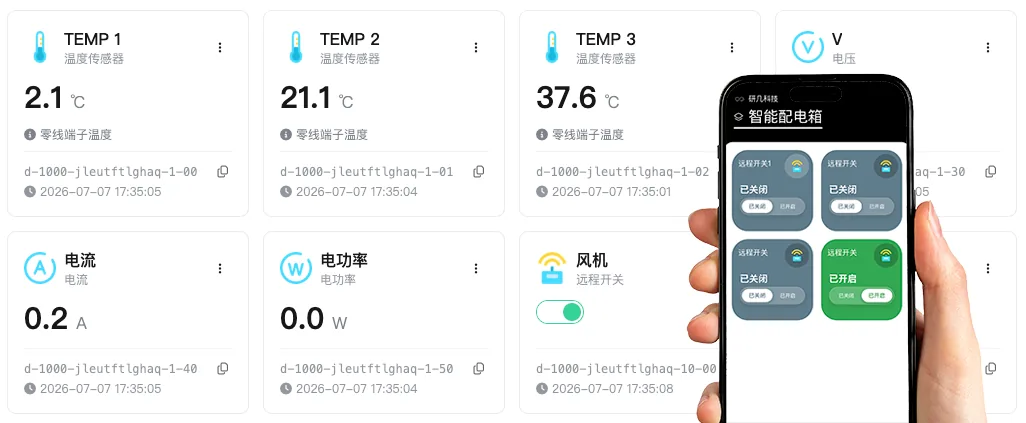
Standard and custom configurations
Standard models cover common circuit counts, networks and load conditions. Other loads, control logic, monitoring or enclosure requirements need project engineering.
Product construction
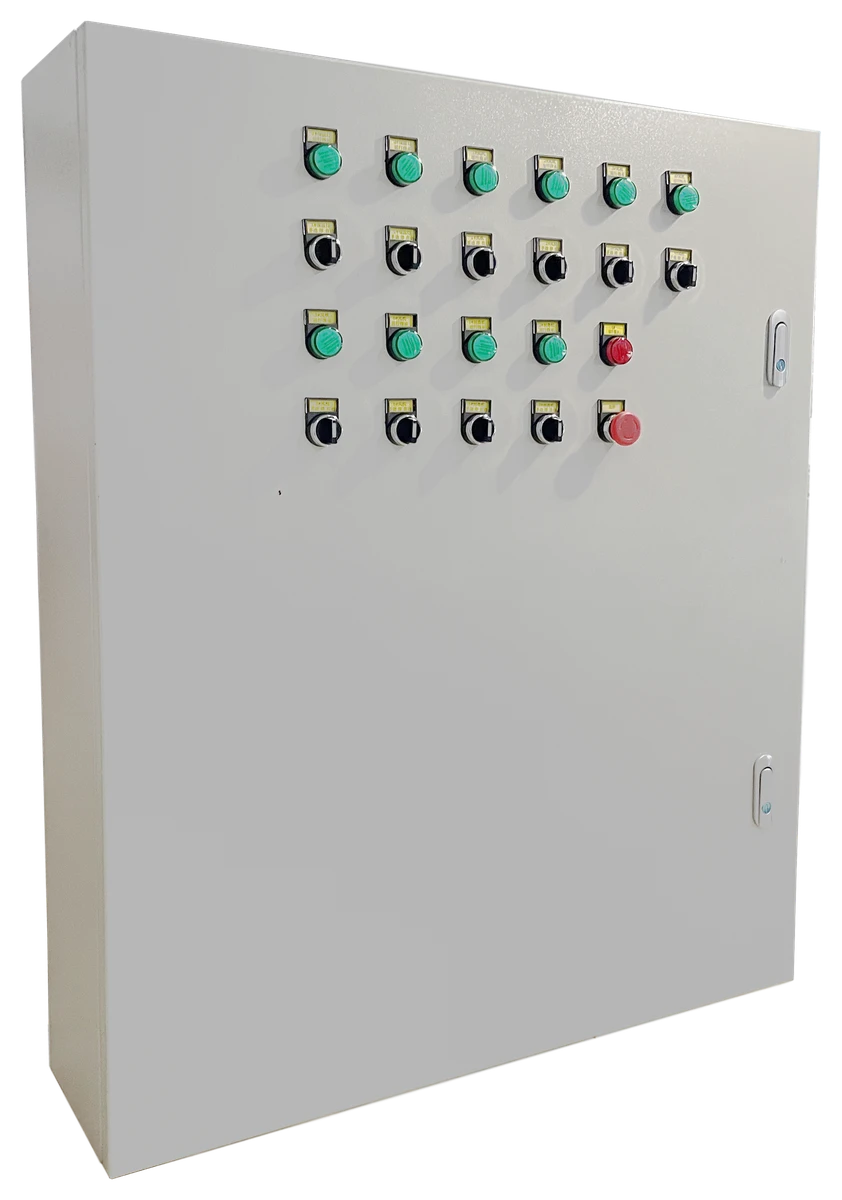
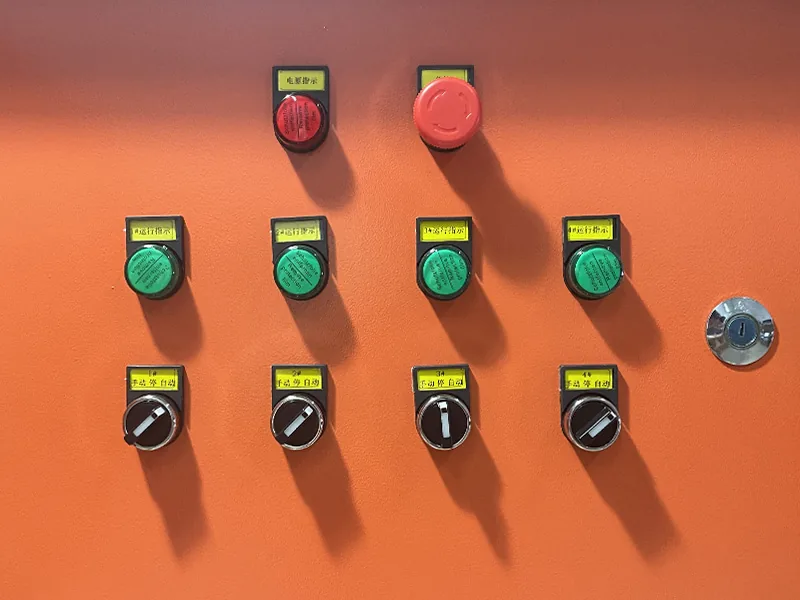
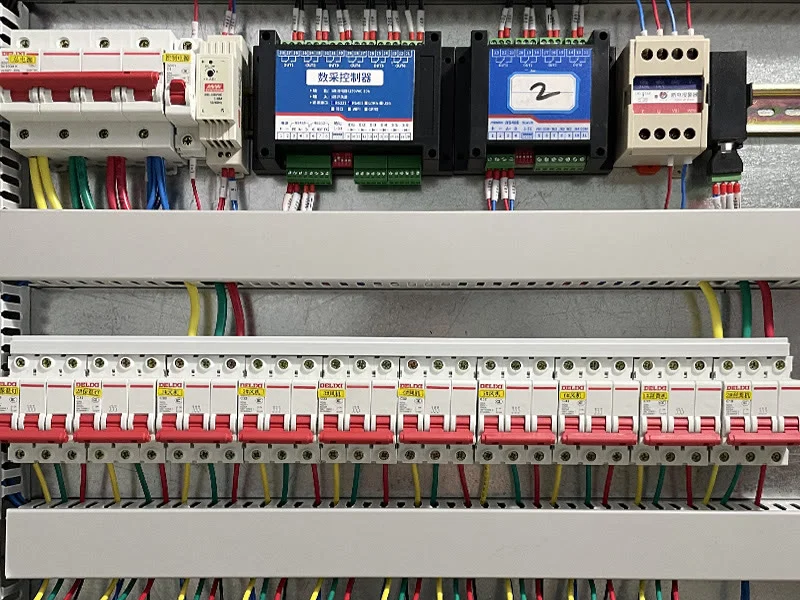
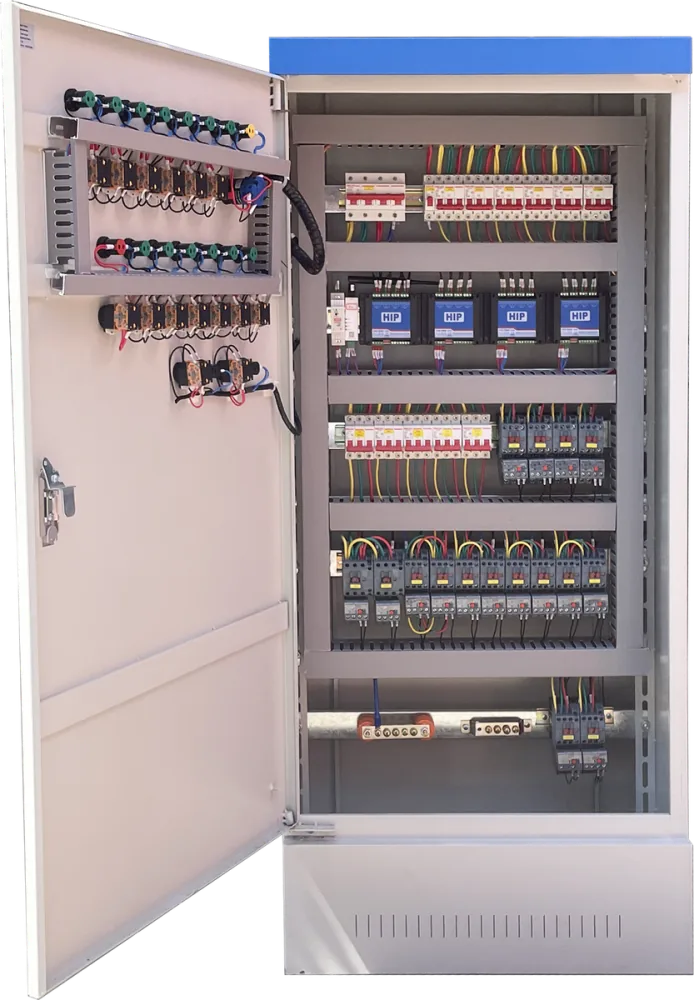
These views show the enclosure, panel, wiring and an installation example. Delivered components and layout depend on the selected configuration.
Technical reference
The published values support product selection. Refer to the product documents for electrical, enclosure, protection and installation details.
Before installation
Y951 involves mains distribution. Installation, inspection and commissioning must be performed de-energized by a qualified or experienced professional.
Confirm 220 V or 380 V, phase arrangement, total load and protection.
Confirm 4G signal, Wi-Fi coverage or the RJ45 cable route.
Confirm indoor/outdoor location, ventilation, water and dust exposure, temperature and mounting method.
Before energizing, verify circuit labels, phase sequence, reversing logic, terminals and protection devices.
FAQ
The standard range provides 2–16 independently controlled circuits. Other circuit counts or control methods require a custom design review.
Yes. Choose the 4G version for remote or distributed sites, or the RJ45 version for a pump station, machine room or another site with stable wired networking.
The standard single-circuit load is 2.2 kW. Higher-power loads require a custom design review. Confirm voltage, load type, inrush current, starting method and operating frequency before selection.
The standard range covers 220 V and 380 V configurations. Confirm the site supply, equipment voltage, phase arrangement and wiring requirements before ordering.
Remote control, cloud schedules and cloud linkage need the device to be online. When offline, the standard version cannot receive new remote, scheduled or linkage commands. Local manual control remains available while the cabinet is powered.
Standard Y951 is primarily a distribution and circuit-control cabinet. Sensors normally connect through a separate acquisition device, and platform rules can then trigger Y951. The acquisition module, thresholds and safety logic are project-specific.
It can be reviewed for applications such as rolling film or curtains. Confirm the motor data, interlocks, safety protection and local operating logic before ordering.
Yes. The cabinet involves mains wiring. Installation, wiring, inspection and commissioning must be performed de-energized by a qualified or experienced professional.
Project support
We can help determine whether a standard Y951 fits, or whether the project needs a custom cabinet.